


Tech refresh 2026: DOSBox best practice
Updated: Feb 20

This guide is a tech refresh guide covering some of the more earlier DOS sims. The techniques presented below have been found to improve the game performance, bringing it closer to a retro experience (not just making it faster, but in many cases slowing it down) and seems to subjectively improve the 'feel' of the sim. All of these techniques involve changing DOSBox Staging settings.
If an early DOS sim feels a little 'off' from what you remember, try these settings to see if they improve the situation.
DOSBox configuration
The following general examples shows the techniques and DOSBox settings that are changed: This guide assumes the latest DOSBox Staging, version 0.82.2 is used.
Frame & refresh rate
By changing a few settings the DOS frames can be presented at a legacy friendly and more constant rate. Early DOS sims seem to benefit greatly from this.
[sdl]
host_rate           = sdi
vsync               = off
presentation_mode   = cfr

[dosbox]
dos_rate            = host

[mouse]
dos_mouse_immediate = false
The host (refresh) rate is switched to an sdi rate, or Serial Digital Interface (SDI) rate which will remain constant and won't vary.
Turning vsync off, will attempt to disable vsync to allow quicker frame presentation at the risk of tearing in some games. However the relatively low cycles required from these early sims means this normally isn't an issue.
Presentation mode set to cfr, changes the frame presentation mode to constant frame rate (CFR), so DOS frames are always presented at a constant rate.
The DOS rate settings, customizes the emulated video mode's frame rate. When setting to host, the DOS rate is made to match the SDL host rate setting.
The immediate mouse mode recommended for variable refresh rates and variable frame rates can be set back to the default false value.
Video memory delay
Video memory delay, or vmem_delay, introduces a video memory access delay, specified in nanoseconds. This technique can be used to slow down the whole emulator so should only be used when necessary.
This technique is often most noticeable on parts of the sim that either run too fast, or not at all, e.g. the Falcon 3.0 intro movie and the TFX menu screen with the UN flag.
[dosbox]
vmem_delay = 200
The vmem_delay will be game specific, the above is just an example. vmem_delay simulates a delay in reading from earlier graphics cards that early sims were designed for.
Affected sims
The games that benefit from these techniques. Each game will cover advantages, even if subjective and an example DOSBox configuration. Most of these are the earlier DOS sims from late 80's/early 90's.

M1 Tank Platoon
Benefits greatly from modified frames and refresh rates. Gunners can now seem to fire and score hits more frequently. Subjectively, it feels more consistent.

F-19 Stealth Fighter
At higher DOSBox cycles weapons would become very temperamental but now seem more consistent using modified frames and refresh rates. At 5200 cycles, an AMRAAM may miss at long range but will hit when at optimum range. LGB's are still broken but have gotten other weapons like the Penguin ASM to hit targets.

F-15 Strike Eagle II
Uses a very similar (if not the same) engine as F-19 Stealth Fighter. Title music seems to play at a better speed and landings seem easier when using modified frames and refresh rates.

Silent Service II
Difficult to quantify benefits, but is a 1990's sim that may be affected by variable refresh rates. This makes it a candidate for frame rate changes. Issues may have been hidden by running with overly low DOSBox cycles.
Additional settings
Recommended cycles were originally set too low and cycles consistent with a 486 @ 33Mhz (12000 cycles) or 66Mhz (25000 cycles) are probably a better choice. At these higher cycles, variable rates originally suggested may have introduced issues with gameplay.
[cpu]
cpu_cycles = 12000
The remaining [cpu] settings remain unchanged from Silent Service II: DOSBox deep dive.
Additional resources
SubSim hosts the final version 3 patch, bringing the game to v457.03. A key command/ship identification reference is also available. These can be found in the SubSim Downloads.

Subwar 2050
Subwar 2050 has been a problematic sim due to what seems inconsistent enemy behaviour leading to very confusing battles and a number of scripting issues which can result in soft locks or mission failures.
Using modified frame & refresh rate results in a smoother flow during combat and was subjectively much improved. It is hoped this will also improve the scripting issues but further testing is required.
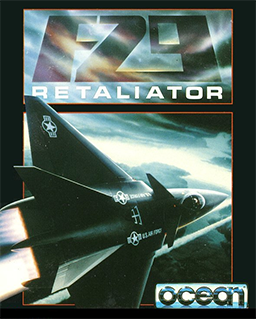
F29 Retaliator
Benefits greatly from modified frames and refresh rates. Aircraft flies slower and no longer jumps into the air on takeoff, this increases control and allows for more precise control resulting in easier landings!


TFX
Modified to use the frames and refresh rates settings and the video memory delay.
When running the first arcade level scenario the aircraft no longer comes under immediate missile attack, the time warp feature also doesn't result in an immediate shootdown, so subjectively speaking it 'feels' like it plays more like the developers originally intended although further testing is required
Additional settings
Video memory delay was set to 200ns, which means the UN flag on the main menu behaves more like the developers intended.
[dosbox]
vmem_delay = 200
A-10 Tank Killer
Such an early sim is a prime candidate for frames and refresh rates changes.
Graphics seem to refresh better at lower altitudes and Rockeye's may be more effective. You may wish to switch from MT32 to SoundBlaster as the higher quality MT32 music also comes with some very annoying engine sounds.

Falcon 3.0
This sim has always had issues with the intro movie when run at 20000 cycles under DOSBox. The suggested config changing the frame & refresh rate coupled with a video memory delay allows the intro movie to work at 20000 cycles at a rate which nearly syncs audio and video.
It also seems to improve in-game movies syncing with audio. Campaign briefings now scroll at an appropriate rate and are readable. The sim 'feels' improved with the aircraft able to find a rate of descent sweet spot for landing that previously was not achievable and missile combat feels much improved.
Additional settings
These []dosbox] settings are highly specific to Falcon 3.0/Gold. The rest of the frame & refresh rate [sdl] and [mouse] settings are unchanged from those mentioned earlier.
[sdl]
host_rate           = sdi
vsync               = off
presentation_mode   = cfr

[dosbox]
vmem_delay          = 650
dos_rate            = 600

[mouse]
dos_mouse_immediate = falseFalcon Gold videos
Finally...
Credit and thanks to SubSim for alternative hosting of Silent Service II patch and documents.
Good Hunting!



One aspect I appreciated most about this article was its focus on practical understanding rather than just technical definitions. Breaking down the concepts into clear explanations made the topic much easier to follow, especially for readers trying to build a solid foundation. Real-world examples always make technology discussions more meaningful, and this post achieved that well. I also discovered Europe Escort Directory while exploring related resources, and it was interesting to come across alongside this topic. Thanks for sharing such well-structured insights. Posts like this encourage readers to keep learning and stay curious about new developments in the field.
This post on DOSBox best practices for 2026 is spot on! Updating configurations to handle modern hardware while maintaining that retro compatibility is a delicate balancing act. It is almost as meticulous as the precision required for fine line PCB etching when building custom hardware to interface with these legacy systems.
Your tips on optimizing cycles and sound settings make a huge difference for performance stability. It is refreshing to see such a technical yet accessible guide for keeping our favorite classics alive. Thanks for helping us bridge the gap between vintage software and today’s high-speed tech environments!