


LHX: Attack Chopper: Successfully experimenting in Staging

Developed by Electronic Arts in 1990 and named after the US Army's Light Helicopter Experimental program, LHX: Attack Chopper is one of Brett Iverson's earliest PC sims. Missions can be undertaken with a Hughes AH-64A Apache, LHX, Sikorsky UH-60 Black Hawk or the Bell-Boeing OV-22 Osprey.
The game has a humorous attitude, which other sims end a mission with a cost to repair? However, there is a surprising amount of depth to the sim, TOW missiles can be fired from behind cover and steered to targets, rescue and delivery missions supplement strike missions and it remains the only sim to feature the Bell-Boeing OV-22 Osprey.
Every flight sim fan of a particular generation, has probably at one time or another played or at least dabbled with LHX.
Contents
Version & patch history
Unlike many other sims, there has only been a single version of LHX. Each of the releases below is using the same version, with only minor changes due to installation media or documentation. There are no known patches for LHX.

Initial retail release (1990)
The initial retail release was published by Electronic Arts. It was distributed on 2 x 5.25" 360K Double-Density (DD) or 1 x 3.5" 720K DD floppy disks.

Hit Squad budget re-release (1992)
Ocean published a budget re-release of LHX on their Hit Squad budget label in 1992. It was distributed on a single CD-ROM with a substantially different CD-ROM installer. A reference card and manual was included in MS Word doc format. Copy protection has been removed on this release.
Big Games re-release (1995)
The Italian label Big Games re-released LHX in 1995. It was distributed a single 3.5" 720K DD floppy disk using the existing floppy disk installer. Despite the Italian publisher, the game remained an English language version.
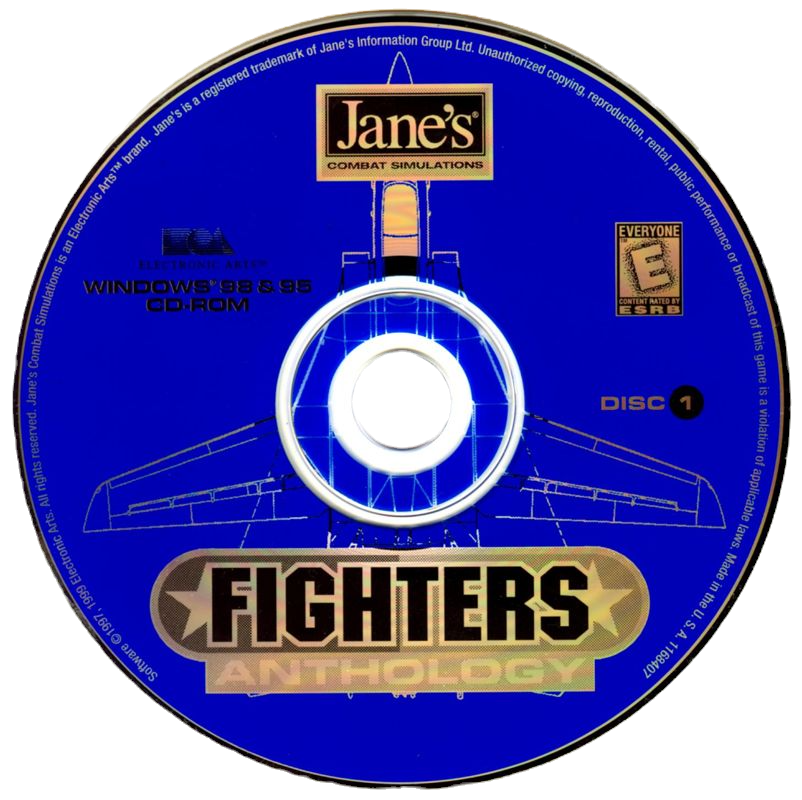
Jane's Fighter Anthology bundled release (1997)
The final release of LHX was in 1997, when it was bundled with Brett Iverson's later sim Jane's Fighter Anthology. It was distributed on the first CD-ROM in an LHX folder. Copy protection remains on this release, but copy protection answers are provided in the release notes.
Retail media
Due to the age or the media and the drives required to read the media, it is recommended to rip floppy disk and cd-rom media to image files, to save wear and tear on media and the mechanical drives.
Floppy disks can be ripped to an ima or img format compatible with DOSBox Staging. The CD-ROM can be ripped to a data only iso image format as there is no CD audio on the disc.
Game management
It is recommended to use my DOSBox game management strategy or similar strategy you may have developed. The recommended game management folders are:
cd - for any cd images.
fdd - for any floppy disk images.
hdd - the folder used as the emulated DOSBox hard disk.
conf - to store DOSBox and HOTAS configuration files.
docs - for documents.
These management folders are placed in the following game folder (as an example), and used in the rest of the guide:
D:\Games\DOS\LHX Attack ChopperHOTAS config
Configuring axes may not be required if your HOTAS has 4 axes or less. When using a combination of devices totaling more than 4 axes, a virtual controller can be configured (with vendor software or Joystick Gremlin), limited to 4 axes.
For those using controllers from multiple vendors, the vJoy/Joystick Gremlin combination may be required instead of vendor specific HOTAS profile software. You may also have to use HidHide as a device firewall, to hide your real controllers, so only the vJoy virtual controller is detected by DOSBox. [6][7][8].
It may seem odd to use a virtual controller but this ensures a single 2 axes virtual controller is available to DOSBox and the game. It prevents the throttle or pedal controllers being selected.
LHX only supports a single joystick . The physical axes to Windows axes were configured as follows:
Physical axis | Windows axis |
Joystick x-axis | DX_X_AXIS |
Joystick y-axis | DX_Y_AXIS |
DOSBox Staging config
The DOS version is configured to run under the latest released DOSBox Staging version, v0.83.0-RC1 (at time of writing):
# This is the configuration file for LHX: Attack Chopper.

[cpu]
core = simple
cputype = 386
cpu_cycles = 6000
cycleup = 100
cycledown = 100

[voodoo]
voodoo = off

[mixer]
reverb = small
chorus = light

[sblaster]
sbtype = none
oplmode = opl2

[joystick]
joysticktype = 2axis
timed = false
deadzone = 0

[autoexec]
@echo off
mount c "D:\Games\Dos\LHX Attack Chopper\hdd"

# Floppy image
# mount a "D:\Games\Dos\LHX Attack Chopper\fdd\LHX.ima" -t floppy
# CD image
# mount d "D:\Games\Dos\LHX Attack Chopper\cd\LHX.iso" -t cdrom

mixer master 100 /noshow
c:
cd lhx

# Floppy releases
# lhx.exe vga joystick high adlibsound

# Hit Squad release
# call start.bat

exit
The following zip file contains this example DOSBox Staging config. It should be changed to match your hardware and personal preferences.
The core is set to simple, as it provides slightly better compatibility for older games. As the Hit Squad CD release requires at least a 386 25Mhz CPU, the cputtype is set to 386 and the cycles at set to 6000, equivalent to a slightly better 386DX 33Mhz CPU. cycleup/down settings are changed to values rather than percentages.
Voodoo emulation isn't required and is disabled.
The mixer settings are a personal preference but a light chorus may be more suitable for aircraft engine sounds.
Although the default Sound Blaster settings provide AdLib sound, the strictly correct settings to emulate an AdLib sound card are a sbtype of none and an oplmode of opl2 as described in the DOSBox Staging Wiki, AdLib configuration.
The joystick deadzone is a personal preference and suitable for my joystick hardware. A 2axis joystick type supports the two axes used in-game.
The autoexec mount settings are examples only, demonstrating how to mount a floppy disk or cd image.
The mixer setting restores the master volume to 100%. The floppy version of the game is run using the optimum command line options discussed in Configuration & running. The CD release will write these settings a start.bat file, which it uses instead.
Installation
The following covers the various installation processes depending on version.
Floppy disk release
Floppy disk versions should be installed under DOSBox emulation using the installer found on the disk. Installation requires the source and destination drives to be specified:
A:\> install a: c:Hit Squad CD-ROM release
The Hit Squad CD-ROM release should be installed under DOSBox emulation using the installer found on the CD:
D:\> hitsquadThe following gallery shows the installation steps:
Installation menu. Select Install to Hard Disk.
Jane's Fighter Anthology bundled release
The Jane's Fighter Anthology bundled release includes the floppy disk install which won't work from the CD.
To install this release, use Windows File Explorer to copy the LHX folder from the CD and into the DOSBox emulated hard disk folder, hdd.
The LHX folder can be found on Jane's Fighter Anthology disc 1 (blue).
After copying, in File Explorer there should be a folder similar to (using the game management scheme above as an example):
D:\Games\Dos\LHX Attack Chopper\hdd\LHXIn DOSBox this becomes:
C:\LHXConfiguration & running
The game is configured and run using command line options. The following options are supported (taken from the manual):
Option | Description |
CGA | Loads game in CGA mode. |
EGA | Loads game in EGA mode. |
MCGA | Loads game in MCGA 256-color mode. |
VGA | Loads game in VGA 256-color mode. |
TANDY | Loads a game in Tandy graphics mode. |
JOYSTICK | Loads a game with joystick control. |
KEYBOARD | Loads a game with keyboard control. |
MOUSE | Loads a game with mouse control. |
MOUSE2 | Loads a game with the slow mouse setting on for a high precision mouse. |
LOW | Loads a game in low graphics mode. |
MEDIUM | Loads a game in medium graphics mode. |
HIGH | Loads a game in high graphics mode. |
PCSOUND | Loads a game with PC sound. |
ADLIBSOUND | Loads a game with AdLib sound. |
TANDYSOUND | Loads a game with Tandy sound. |
SMALL | Use this if you have a computer with less than 640 k of memory. It deletes complex versions of some shapes to speed up the simulation. |
The optimum settings for DOBox are (assuming a joystick is present):
C:\LHX> lhx.exe vga joystick high ablibsoundThis can be set in the DOSBox config above or added to the start.bat file for the Hit Squad CD-ROM release.

Electronic Arts Joystick Tuner
LHX also includes the Electronic Arts Joystick Tuner (jtuner.exe). This utility is used to check the calibration of a joystick and to adjust legacy joystick trim, if badly calibrated. For modern controllers this should be unnecessary.
In-game configuration
The following gallery shows in the configuration options available while in-flight. The menu is accessed with the <Esc> key.
Sound options Control options Sim options.
Mods
There is an LHX launcher menu. It has the following options:
Run LHX.
Run the Joystick Tuner.
Read the release notes.
Backup the LHX pilot.
Restore the LHX pilot.
The pilot is backed up to (and restored from) the c:\lhx\backup folder. The launcher is available below:
The launcher should be placed in the hdd folder. To run the launcher automatically when DOSBox is started, change the DOSBox configuration file:
From:
lhx.exe vga joystick high adlibsound
# Or
call start.bat
To:
call lhxmenu.batDocuments
The following documents are available for LHX:
Eyes Only dossier, pdf download.
Internet Archive, LHX Attack Chopper Manual.
Pilot Handbook, pdf download.
Internet Archive, LHX Attack Chopper Manual.
Internet Archive, LHX Attack Chopper Pilot Handbook. (Hit Squad version)
Maps, pdf download.
Internet Archive, LHX Attack Chopper Manual.
Internet Archive, LHX Attack Chopper Pilot Handbook (Hit Squad version, single page).
Reference Card, pdf download.
Internet Archive, LHX Attack Chopper Manual.
Internet Archive, LHX Attack Chopper Pilot Handbook. (Hit Squad version)
The following documents are present on the Hit Squad CD-ROM version (MS Word doc format converted to pdf):
The following document is present on the Jane's Fighters Anthology bundled version (rtf format converted to pdf):
Example video
Finally...
Credit and thanks go to:
Internet Archive for hosting documents.
John Novak and the rest of the DOSBox Staging team for DOSBox Staging v0.83.0-RC1.
Good hunting!


Comments