


Total Air War part 1: Primer

A primer on the different releases and versions of the classic Digital Image Design (D.I.D.) F-22 sim from 1998, Total Air War (TAW) also known as F22 Total Air War.
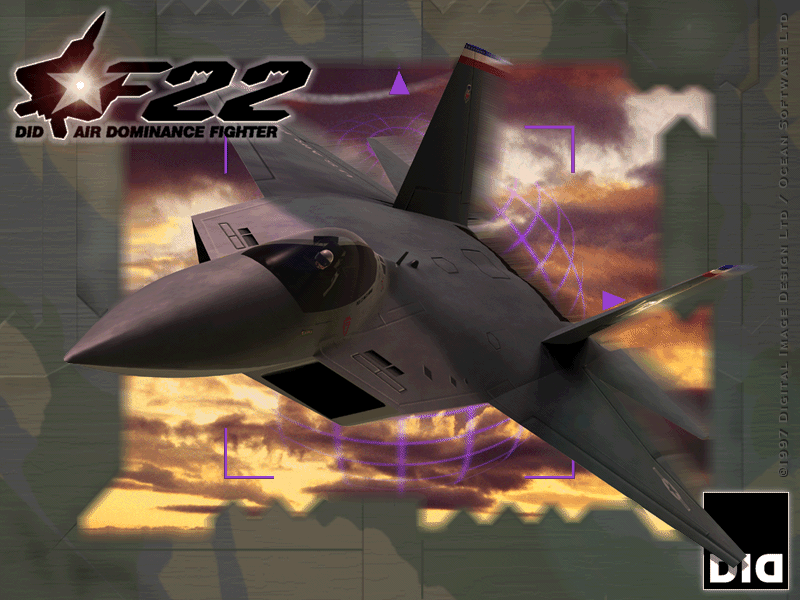
TAW was a direct sequel to F22 Air Dominance Fighter (ADF) and there is a great deal of commonality between the two sims, differing primarily in the mission oriented campaigns of ADF, replaced with true dynamic campaigns in TAW.
This article will cover the various releases and versions possible with TAW. And will discuss the total conversion mod Total Air War 2.0 (TAW 2.0).
Acknowledgement
Most of this article is based on the excellent work done by Menrva with this post on Krishty’s Sim Forums, and from the patch collection compiled by Krishty. The TrackIR patch, Total Air War 2.0 and patches were also obtained from Krishty. Credit and many thanks to both.
Overview
Like it's predecessor, TAW editions are distributed in multiple languages and multiple graphics API's (again DirectX and Glide are supported).
However there was only a single standard/International edition (including Europe/UK/US) which only had a single patch (in language and graphics versions). This makes installation and patching an easier task for the majority.
There was also a Japanese language edition with a different set of patches that is discussed separately.
In upcoming articles the build presented will be based on the English language, Glide version of TAW.
When it comes to running under Win10 natively, the 'vanilla' version of TAW is surprising difficult to get working with current compatibility utilities, given the commonalities between ADF and TAW ('vanilla' ADF being far easier to run on Win10).
Instead the total conversion mod TAW 2.0 will be used. TAW 2.0 installation requires a 'retail' TAW installation to be present, so creating the build is a necessary first step, but before the build, an understanding of the editions and patches will make the task easier.
This primer was created for these reasons.
PCem VM or Win10
Future articles will cover building the release in a PCem virtual machine (VM) and running from PCem. You may be wondering why, if the game can be run in Win10 natively?
One may be the subjective 'feel' of the controls. With my particular HOTAS setup the controls 'feel' fractionally better/tighter under Win10. Your own subjective 'feel' of your own HOTAS may differ, and you may prefer to play in PCem.
TAW is also incompatible with native multi-axes HOTAS setups exceeding 4 axes. A modern HOTAS setup may have 2 stick axes, 3 or more throttle axes and up tp 3 rudder pedal axes.
If the equipment comes from same the manufacturer then profiling software can solve this issue. If from multiple manufacturers then a vJoy/Joystick Gremlin/HIDGuardian solution may be required. The complexity of configuring a third party solution can be mitigated by running under PCem.
The important thing is that both approaches are covered, so you can try them both and stick with the one you prefer.
Total Air War standard edition
The standard retail edition came in the following languages, English, French, German, Italian and Spanish. Each language edition supported both Direct3D or Glide API versions. This results in 10 versions based on language and graphics API.
The standard edition included a British Telecom (BT) Wireplay client. The BT Wireplay service, was a UK, modem based multiplayer matchmaking and gaming service which shutdown in 2014. The BT Wireplay service had earlier distributed a version of EF2000 for Wireplay hosted multiplayer games.
Total Air War Patch
Only a single official patch was released for TAW in December 1998. It is only available for the English and German languages in both Direct3D and Glide versions for a total of 4 versions of this patch.
It is a comprehensive patch featuring both bug fixes and enhancements. It is a simple file replacement patch, replacing the existing f22.dat file. The patch readme.txt file is available below:
This patch can be obtained from this post, DID F22 Games Collection at Krishty’s Sim Forums.
This is a recommended patch for the supported languages.
F22 TrackIR Patch v1.1
A fan made Track IR patch, create by Krishty, was released 18th June 2009. There is a single patch version, requiring the appropriate file replacement for Direct3D or Glide APIs. The patch is distributed as a 7zip archive (.7z). The readme.txt file is available below:
This is not a recommended patch for the PCem platform, as there is no communication with TrackIR hardware possible. It is not recommended for the Win10 platform as TrackIR support was integrated into the TAW 2.0 mod.
This patch can be obtained from the post, TrackIR Patch v1.1 at Krishty’s Sim Forums.
It may be possible to use this patch on an experimental 86Box platform.
Total Air War Japanese edition
There is a single Japanese edition and unlike the standard version employs a CD check. There are both DIrect3D and Glide versions for a total of 2 versions. Unlike the standard edition there are a number of patches available, but only one is recommended.
All Japanese edition patches can be obtained from this post, DID F22 Games Collection at Krishty’s Sim Forums.
F-22 TAW Japanese Version Patch 981203
Released on the 3rd Dec 1998, this patch was a bug fix patch, fixing a crash if the demo was run more than once. There is a single version of this patch for both Direct3D and Glide. This patch is a file replacement patch. From the readme (translated):
This file fixes a bug in the Japanese version of the F-22TAW that causes the demo to crash the second time.
This is not a recommended patch having been superseded by the F-22 TAW Japanese Version Patch 990219.
F-22 TAW Japanese Version Patch 981228
Released on the 28th Dec 1998, this patch was a bug fix patch, fixing Microsoft force feedback issues. It was distributed in Direct3D and Glide versions. This patch is an executable which unpacks replacement files, which essentially makes this a file replacement patch. From the readme (translated):
This file fixes a bug in the F-22TAW Japanese Version where the stick would stop centering or suddenly become unresponsive when using Microsoft Force Feedback Pro.
This is not a recommended patch having been superseded by the F-22 TAW Japanese Version Patch 990219.
F-22 TAW Japanese Version Patch 990219
Released on the 19th Feb 1999, this patch was a bug fix patch, fixing crashes and Microsoft force feedback issues. It seems to be a cumulative patch comprising of the fixes from F-22 TAW Japanese Version Patch 981203, F-22 TAW Japanese Version Patch 981228 and the standard edition Total Air War Patch.
It was distributed in Direct3D and Glide versions. This patch is an executable which unpacks replacement files, which essentially makes this a file replacement patch. From the readme (translated):
This file contains fixes for the latest patch released by DID in the UK for the F-22TAW Japanese Version. This patch also includes fixes for an abnormal termination that occurs during the demo screen in the F-22TAW Japanese Version, as well as a fix for a bug that causes the stick to become uncentered or suddenly unresponsive when using Microsoft Force Feedback Pro.
This is the only recommended patch for the Japanese edition.
The Total Air War 2.0 (TAW 2.0) total conversion mod
The Total Air War 2.0 (TAW 2.0) total conversion mod provides compatibility for later versions of Windows not initially supported by TAW, integrating:
Full campaigns from F-22 Air Dominance Fighter (ADF) and Red Sea Operations (RSO).
Glide wrappers.
TrackIR support.
JoneSoft Generic Mod Enabler (JSGME).
TAW 2.0 Battle Commander (TAWBC).
A huge amount of documentation
Additional enhancements and customization.
Taken from the readme file:
The goal of TAW 2.0 is to provide a simulation experience that equals or surpasses your fond memories with the original F-22 Air Dominance Fighter and F-22 Total Air War. A large part of this effort is to take a program that was designed for Windows 95 and get it to run flawlessly in Windows 7 x64, and all operating systems in-between (except for Windows NT and Windows 2000, neither of which were tested).
The last version of this mod, v2.30, released on 18th Nov 2015 will be the version used in Win10. The mod is known to work with English language versions, other languages and the Japanese edition remains untested at present.
The TAW 2.0 total conversion mod can be obtained from:
Krishy (EU) (use 'Save link as...').
Patches
The TAW 2.0 mod also supports custom music playlists, which led to the TFX soundtrack being converted for use with TAW 2.0. It is available in two versions:
TFX Soundtrack (Roland MT32)
The TFX soundtrack using Roland MT32 MIDI, distributed as an executable archive, obtainable from:
Krishty (EU) (use 'Save link as...').
This is an optional patch, left to personal preference.
TFX Soundtrack (Sound Blaster 16)
The TFX soundtrack using Sound Blaster 16 MIDI, distributed as an executable archive, obtainable from:
Krishty (EU) (use 'Save link as...').
This is an optional patch, left to personal preference.
Build strategies
The following are not detailed instructions but installation & patching strategies for each of the possible TAW builds. They can be used to ensure you have the required cd/images and patches for a particular build.
TAW (English, German languages)
Install TAW with the required language and graphics API (D3D or Glide).
Install Total Air War Patch matching the required language and graphics API.
TAW (French, Italian, Spanish languages)
Install TAW with the required language and graphics API (D3D or Glide).
TAW (Japanese edition)
Install TAW with the required graphics API (D3D or Glide).
Install F-22 TAW Japanese Version Patch 990219 matching the required graphics API.
Platform strategies
The following are not detailed instructions but installation & patching strategies for possible platforms running TAW.
PCem
Create appropriate build based on build strategy above.
The F22 TrackIR Patch v1.1 is not included for this platform as there is no USB passthrough facility supported by PCem, so there is no communication possible with TrackIR hardware.
86Box (untested)
Create appropriate build based on build strategy above.
It should be possible to create an effectively identical PCem VM as an 86Box VM. The resource requirements of 86Box are normally higher than PCem so a higher spec host system may be required for 86Box.
86Box (theoretical/experimental)
Create appropriate build based on build strategy above.
Install F22 TrackIR Patch v1.1.
Although untested, the USB passthrough support in 86Box v5.1 suggests communication with TrackIR hardware is theoretically possible. Such a build may require earlier TrackIR hardware, supported by earlier TrackIR software, running under a compatible version of Windows (probably Win98/XP) in the 86Box emulator.
Windows 10
Create appropriate build based on build strategy above.
Install TAW 2.0 mod.
Install TFX Soundtrack (Roland MT32) patch (optional).
Install TFX Soundtrack (Sound Blaster 16) patch (optional).
The F22 TrackIR Patch v1.1 is not included, as TrackIR support is integrated into the TAW 2.0 mod.
Finally...
The remaining articles in this series will cover:
Building and running a TAW release (English language, Glide API) in PCem.
Using the PCem build and running the TAW 2.0 mod in Win10.
Good hunting!
Thanks! Why doesn't the French, Italian, Spanish version need any patched? is it already patched?