


1942 Pacific Air War: The staging is set
Updated: 4 days ago

A guide to running the floppy, CD and digital releases of 1942 Pacific Air War and 1942 Pacific War Gold in the DOSBox Staging emulator. 1942 The Pacific Air War (PAW) is a World War 2 sim set in the pacific theater. Playing as part of US or Japanese forces, missions and the campaigns are staged from carriers. The expansion would add US and Japanese army aircraft staging from island airstrips.
Table of contents
Version & patch history
This is a brief look at the version and patch history of the game. When running under DOSBox Staging all versions of the game (patched and unpatched) require the Jemm expanded memory manager.
Initial retail version (May 1994)
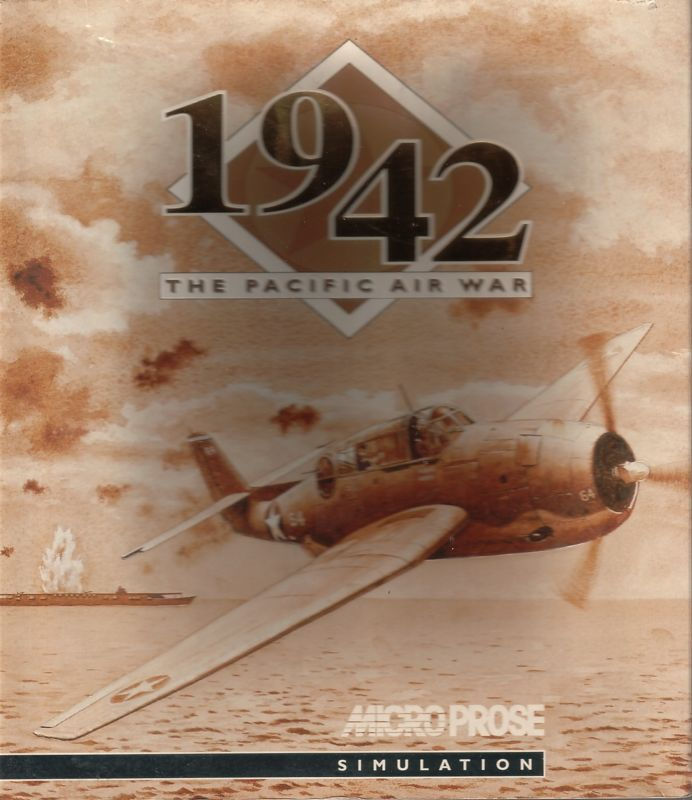
The initial retail release occurred in May 1994. It was released on 6 x 3.5" 1.44MB High Density (HD) floppy disks. This version is assumed to be version 1.0 as no version number can be displayed on the in-game main menu.
The installer only allows for the selection and configuration of a single digital audio/music sound card.
Roland sound fix for 1942 PAW (July 1994)
The Roland sound fix for 1942 PAW is a single replacement file ((rsound.ft). Taken from the Microprose FTP archive:
This file replaces the Roland sound driver supplied with 1942 Pacific Air War. A couple sound effects, like the guns, did not work correctly on the original MT-32, though they worked fine on the LAPC-1 version. This has now been corrected. If you don't have an MT-32, you don't need this patch.
This patch is not recommended, having been superseded by later patches. This patch can be found at:
Internet Archive, Microprose FTP archive.
Internet Archive, Microprose FTP mirror archive.
1942 PAW Modem Update (October 1994)
The 1942 PAW Modem Update is a zip archive (pawmodem.zip). Taken from the release notes:
The files MODM28_8.TXT, MODM14_4.TXT, MODM9600.txt, and MODMINIT.TXT will be installed into your 1942 directory with this update. 1942 will read the file MODMINIT.TXT to find the initialization string for your modem. The other three files contain recommended initialization strings for 28.8K, 14.4K and 9600 baud modems.
This is a modem enhancement patch only. It must be installed using DOSBox, once unzipped. This patch is not recommended, as it concerns legacy modem hardware only. This patch can be found at:
DOS Days, 1942: The Pacific Air War, Versions of the game known to exist.
Internet Archive, 1942: The Pacific Air War Modem Patch.
Internet Archive, Microprose FTP archive.
1942 PAW Modem Extra Files (October 1994)
The 1942 PAW Modem Extra Files is a zip archive (pawmod1.zip). Taken from the Microprose FTP archive:
The very initial release of the PAWMODEM.ZIP file did not contain a couple necessary files. This would ONLY apply to downloads on the evening of Oct 12 and the early morning of Oct 13. This PAWMOD1.ZIP file contains the missing files and is only available to save you from having to download another 500K. All files contained in this .zip are included in the current version of PAWMODEM.ZIP.
This is a modem enhancement patch only. It must be installed using DOSBox, once unzipped. This patch is not recommended, as it concerns legacy modem hardware only. This patch can be found at:
Internet Archive, Microprose FTP archive.
1942: The Pacific Air War Scenario (December 1994)
The one and only expansion, 1942: The Pacific Air War Scenario allowed the player to fly for US and Japanese armies. Six new aircraft are included: P-38 Lightning, P-40 Warhawk, P-51 Mustang, Ki-61 'Tony', Ki-84 'Frank' and N1K 'George'. There are also additional missions for the Philippines and New Guinea campaigns.
The expansion was distributed on 3 x 3.5" 1.44MB HD floppy disks. The installer allows the selection of separate digital sound and music cards. Following installation the version is Scenario Ver 1.0.
1942: Pacific Air War Version 1.4 Update (January 1995)
A comprehensive enhancement patch, taken from the Microprose FTP archive:
This is the 1942:PAW v1.4 update. This update implements digital sounds, 6 new airplanes, and new flight models. To update, UNZIP the file PAWV14.ZIP to a TEMP directory, change to that directory and type "INSTALL". Follow the prompts for installation. IMPORTANT: Do **NOT** UNZIP the file to your 1942 directory. Also, to update correctly, the update REQUIRES that you have played the game at least once to create a sound and joystick configuration file. Please note: While digital sounds (gun, cannon, explosion, etc) have been added, digital SPEECH has NOT been added. Also, the 6 new planes are available ONLY via the mission builder - there are NO pre-generated missions. Speech and hundreds of historically accurate missions are available in the commercial release of the 1942:PAW SCENARIO DISK!
This patch must be installed using DOSBox, once unzipped. This is a recommended patch for any version of PAW below v1.4. This patch can be found at:
DOS Days, 1942: The Pacific Air War, Versions of the game known to exist.
Internet Archive, 1942: Pacific Air War 1.4 Patch.
Internet Archive, Microprose FTP archive.
Internet Archive, Microprose FTP mirror archive.
1942: The Pacific Air War Gold (December 1994/February 1995)

The Gold edition was a compilation of the original game and expansion published as a single game and pre-patched with the v1.4 update patch. The Gold edition also featured a Windows 3.x installer and utilities to configure digital sound and music under Windows. It also featured a multimedia app featuring instruction and history videos.
This version was distributed on a single CD-ROM. The base game, scenario disk, and Gold edition was a product release cycle also used by the Microprose sim, Fleet Defender.
Updated digital sound driver for 1942 (January 1995)
This is a bug fix patch for specific legacy sound cards for v1.4 only. Taken from the Microprose FTP archive:
This is an updated digital sound file for Pacific Air War 1942 that fixes a compatibility problem with the DigiSpeech Port*able sound card by disabling some error checking. It MAY fix other compatibility problems also. This patch is ONLY for the ver 1.4 update, scenario disk and Gold versions. It will NOT work with the original game.
Once unzipped, this is a file replacement patch. This patch is only recommended for legacy hardware and is not required for DOSBox Staging. This patch can be found at:
DOS Days, 1942: The Pacific Air War, Versions of the game known to exist.
Internet Archive, 1942: The Pacific Air War Sound Patch.
Internet Archive, Microprose FTP archive.
Internet Archive, Microprose FTP mirror archive.
Old-Games.RU, 1942: The Pacific Air War, 1942: The Pacific Air War - files.
1942: Pacific Air War Version 1.5b Update (May 1995)
Once unzipped, this is a file replacement patch providing bug fixes/enhancements. From the release notes:
This version of 1942: THE PACIFIC AIR WAR corrects the following problems:
Lack of aggressiveness for enemy planes and players wingmen.
Enemy planes always taking the fight down to near sea level or ground level.
Planes crashing into the ground for no apparent reason.
Planes under fire performing lazy left and right hand turns.
Lack of vertical maneuvers for enemy and wingmen planes.
This patch requires version 1.4 and is a recommended patch for v1.4. Following installation the game is upgraded to v1.5b. This patch is available from:
DOS Days, 1942: The Pacific Air War, Versions of the game known to exist.
Internet Archive, 1942: Pacific Air War 1.4 to 1.5b Patch.
Old-Games.RU, 1942: The Pacific Air War, 1942: The Pacific Air War - files.
1942: Pacific Air War GOLD Update Volume Install Problems (October 1995)
Once unzipped, this is a file replacement patch providing compatibility with alternate CD volume labels. Taken from the Microprose FTP archive:
This update contains a new version of the file, 1942cd.com, which will correct a problem seen if your copy of this program has a volume label of "paw_1942" instead of "1942_paw", where the game would not run from a minimum installation.
This is a only recommended for those using a Gold edition cd with an alternate label. It should not be required by DOSBox Staging as a full install is recommended. This patch is available from:
DOS Days, 1942: The Pacific Air War, Versions of the game known to exist.
Internet Archive, 1942: Pacific Air War Gold (volume label fix).
Internet Archive, Microprose FTP archive.
Internet Archive, Microprose FTP mirror archive.
The Patches Scrolls, 1942: Pacific Air War Gold.
Compilation editions (1994-1997)
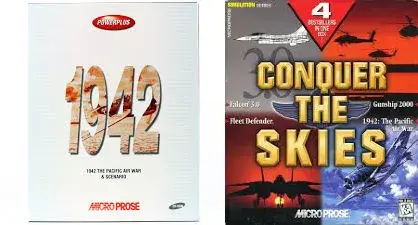
From 1994 - 1997 PAW appears in a number of compilation editions. Most compilations featured the original game and expansion pre-patched to v1.4. Most compilations were distributed on 1 or more CD-ROMs.
Compilations included a budget re-release featuring the original game and expansion and the Conquer the Skies compilation. The compilation editions did not not feature the Windows 3.x installer or apps.
The budget rerelease with base game and scenario disk, but without Windows 3.x components was a product release cycle also used by the Microprose sim, Fleet Defender.
The Conquer the Skies compilation features an install utility that allows the selection and configuration of a single sound card, supplemented with a setup utility that allows the selection of separate digital audio and music sound cards.
1942: The Pacific Air War digital release (2015)
The digital edition is equivalent to the Gold edition but without the Windows 3.x components, making it similar to compilation editions, but also pre-patched to the latest v1.5b update patch.
The installer allows music and digital sound to use separate devices and cloud saves are available on the gog.com digital platform. The digital edition of the game is also available on Steam.
Patching strategies
The following are recommended patching strategies for the various releases of PAW.
1942: The Pacific Air War retail release only
Install 1942: The Pacific Air War retail release.
Patch with 1942: Pacific Air War Version 1.4 Update.
Patch with Updated digital sound driver for 1942 (optional, only for affected legacy hardware).
Patch with 1942: Pacific Air War Version 1.5b Update.
1942: The Pacific Air War retail release & Scenarios expansion
Install 1942: The Pacific Air War retail release.
Install 1942: The Pacific Air War Scenarios expansion.
Patch with 1942: Pacific Air War Version 1.4 Update.
Patch with Updated digital sound driver for 1942 (optional, only for affected legacy hardware).
Patch with 1942: Pacific Air War Version 1.5b Update.
1942: The Pacific Air War Gold edition
Install 1942: The Pacific Air War Gold edition.
Patch with Updated digital sound driver for 1942 (optional, only for affected legacy hardware).
Patch with 1942: Pacific Air War Version 1.5b Update.
Patch with 1942: Pacific Air War GOLD Update Volume Install Problems (optional, if required).
CD compilation releases
Install 1942: The Pacific Air War (expected to include expansion and pre-patched to v1.4).
Patch with Updated digital sound driver for 1942 (optional, only for affected legacy hardware).
Patch with 1942: Pacific Air War Version 1.5b Update.
1942: The Pacific Air War digital edition
Install 1942: The Pacific Air War digital edition (no patches required).
Retail media
Due to the age or the media and the drives required to read the media, it is recommended to rip floppy and cd-rom media to image files, to save wear and tear on media and the mechanical drives.
The floppy disks should be ripped to a DOSBox staging compatible .ima or .img image format.
The cd-rom can be ripped to a data only .iso image format as there is no cd audio on the cd. When ripping cds it is recommended to use a combined ISO9660 and Joliet file system for the image, this is to preserve files with a .$00 extension, which are not supported under a ISO9660 only file system.
Game management
It is recommended to use my DOSBox game management strategy or similar strategy you may have developed. The recommended game management folders for the DOS version are:
cd - for any cd images.
fdd - for any floppy images.
hdd - the folder use as the emulated DOSBox hard disk
conf - to store DOSBox and HOTAS configuration files.
docs - for documents.
patch - to store any patches.
win - to store any Windows install images and drivers (optional).
These management folders can be found in the following game folder (as an example):
D:\Games\DOS\1942 Pacific Air WarHOTAS config
Joystick, throttle and rudder pedals are supported. Configuring axes may not be required if your HOTAS has 4 axes or less. When using a combination of devices totaling more than 4 axes, a virtual controller can be configured (with vendor software or Joystick Gremlin), limited to 4 axes.
For those using controllers from multiple vendors, the vJoy/Joystick Gremlin combination may be required instead of vendor specific HOTAS profile software. You may also have to use HidHide as a device firewall, to hide your real controllers, so only the vJoy virtual controller is detected by DOSBox. [6][7][8].
The physical axes to Windows axes were configured as follows:
Physical axis | Windows axis |
Joystick x-axis | DX_X_AXIS |
Joystick y-axis | DX_Y_AXIS |
Throttle | DX_Z_AXIS |
Rudder | DX_XROT_AXIS |
DOSBox Staging config
The DOS version is configured to run under the latest released DOSBox Staging version, v0.83.0-RC1 (at time of writing). This config is suitable for the PAW game. A suitable DOSBox config for Windows for Gold edition Windows apps is covered later.
# This is the configuration file for 1942: The Pacific Air War.

[cpu]
cpu_cycles = 20000
cycleup = 500
cycledown = 500

[voodoo]
voodoo = off

[mixer]
reverb = small
chorus = light

[mt32]
model = cm32l
romdir = "D:\Midi\Versioned"

[fluidsynth]
soundfont = "Shan SGM Pro 14.SF2"
soundfont_dir = "D:\Midi\Soundfonts"

[soundcanvas]
soundcanvas_model = sc55
soundcanvas_rom_dir = "D:\Midi\soundcanvas\ROMs"

[midi]
# Other valid options: mt32, fluidsynth, port
mididevice = soundcanvas
midiconfig = 0

[joystick]
joysticktype = ch
timed = off
swap34 = on
deadzone = 0

[dos]
xms = off
ems = off
umb = off

[autoexec]
@echo off

# Base game floppy images
# mount a "D:\Games\Dos\1942 Pacific Air War\fdd\paw*.img" -t floppy -ro

# Scenario expansion floppy images
# mount a "D:\Games\Dos\1942 Pacific Air War\fdd\scen*.img" -t floppy -ro

# CD release image
# mount d "D:\Games\Dos\1942 Pacific Air War\cd\paw.iso" -t cdrom

# PAW Gold CD release
# mount d "D:\Games\Dos\1942 Pacific Air War\cd" -t cdrom

mount c "D:\Games\Dos\1942 Pacific Air War\hdd"
mixer master 100 /noshow
c:

# Non-gold editions
# cd \mps\1942
# jemmex.exe frame=e000 load
# cd \mps
# call 1942.bat
# exit

# Gold edition running update v1.5b
# cd \mps\pawgold
# jemmex.exe frame=e000 load
# 1942.exe
# exit
The following zip file contains this example DOSBox Staging config. It should be changed to match your hardware and personal preferences.
Due to the revised defaults with this DOSBox version, most settings are now personal preference or optimal settings, such as sound or joystick settings. Only those settings that differ from the DOSBox Stagiing v0.83.0-RC1 default config are shown.
The cpu_cycle setting of 20000 is suggested to provide quicker installation. It is equivalent to a 486DX 33+ Mhz machine. The game runs with the default cpu_cycles_protected setting at 60000. cycleup/down settings are changed to values rather than percentages.
Voodoo emulation isn't required and is disabled.
The mixer settings are a personal preference but a light chorus may be more suitable for aircraft engine sounds.
PAW supports a wide variety of MIDI sound devices including Roland MIDI and general MIDI devices. Sound Blaster is also another option for music.
The default Sound Blaster settings are appropriate for Sound Blaster music and digital sounds.
Multiple general MIDI devices are configured in the [mt32], [fluidsynth] and [soundcanvas] sections. A Win10 MIDI synth can also be used with DOSBox Staging (see Compatibility tools).
The optimum Roland sound settings use the CM32L device, as described in List of MT-32-compatible computer games.
The FluidSynth soundfont is a personal preference. In the above example, Shan SGM Pro v14 is used, an excellent general purpose soundfont.
DOSBox Staging v0.83.0-RC1 introduces Sound Canvas support. The Sound Canvas config, like the Roland MIDI config, requires a model to be selected and a folder containing the Sound Canvas ROMs to be specified.
The MIDI section specifies a Win10 MIDI synth. This can be changed to your preferred MIDI device: mt32, fluidsynth or soundcanvas. Alternatively a PAW launcher is available to allow selection of a DOSBox MIDI device within DOSBox (see PAW Launcher), allowing multiple MIDI devices to be tried before selecting your preferred MIDI device and setting it in the config as a default.
The midiconfig setting is used to select a Win10 MIDI synth if there is more than one synth available.
The joystick settings are a personal preference and suitable for my joystick hardware. A ch joystick type allows the joystick hat to be used in-game.
The [dos] settings are recommended in the DOSBox Staging wiki, Game issues for 1942: The Pacific Air War.
The autoexec mount settings are examples only, demonstrating how to mount multiple floppy disk images or a cd image.
The mixer setting restores the master volume to 100%.
The Jemm memory manager is loaded using recommended options from the DOSBox Staging wiki, Game issues for 1942: The Pacific Air War.
The game is started using the batch (.bat) file created by the installer of most PAW releases. This can be replaced with a PAW Launcher menu
Compatibility tools
The following compatibility tools are employed to ensure PAW runs without issues in the DOSBox Staging emulator.
Jemm Expanded Memory Manager (EMM)
When run in the DOSBox Staging emulator, PAW requires the use of the Jemm Expanded Memory Manager. WIthout this memory manager sound does not work properly. Jemm is freely available from the Jemm GitHub repository under Releases. The recommended version to use is the latest v5.86 version.
The digital edition of PAW already includes an earlier Jemm expanded memory manager.
Installation
Jemm should be obtained before running the PAW installer.
For floppy disk based releases, once the base game is installed, Jemm should be added using the instructions below. The scenarios expansion and patches can then be installed.
For CD based releases once the CD based installer has complete, Jemm should be added using the instructions below. Patches can then be installed.
Once downloaded the contents of the zip archive can be extracted to a folder in Win10, e.g.
D:\Games\DOS\1942 Pacific Air War\patch\jemm The jemmex.exe file should be copied into the game installation folder, this can be done in Win10:
# Game installation folder in Win10
D:\Games\DOS\1942 Pacific Air War\hdd\MPS\1942

# And in DOSBox
C:\MPS\1942
Add the following lines to the [autoexec] section of the DOSBox Staging config, after switching to the c: drive:
[autoexec]
...
c:
cd \mps\1942
jemmex.exe frame=e000 load
...
This changes to the DOSBox folder with the jemmex.exe file and loads it into memory at memory location E000. Lower memory addresses are already used by DOSBox Staging.
Gold edition installation
The Gold edition uses a slightly different default installation folder.
The jemmex.exe file should be copied into the game installation folder, this can be done in Win10:
# Game installation folder in Win10
D:\Games\DOS\1942 Pacific Air War\hdd\MPS\PAWGOLD

# And in DOSBox
C:\MPS\PAWGOLD
Add the following lines to the [autoexec] section of the DOSBox Staging config, after switching to the c: drive:
[autoexec]
...
c:
cd \mps\pawgold
jemmex.exe frame=e000 load
...
Digital edition installation
The digital edition already includes an older version of the Jemm expanded memory manager. To use the older included version, only the following line needs to be added to the [autoexec] section of the DOSBox Staging config, after switching to the c: drive:
[autoexec]
...
c:
jemm578B\jemmex.exe frame=e000 load
...
To use the latest version, he jemmex.exe file should be copied into the game installation folder, this can be done in Win10:
# Digital edition game installation folder in Win10
D:\Program Files (x86)\GOG Galaxy\Games\1942 The Pacific Air War

# And in DOSBox
C:\
Add the following lines to the [autoexec] section of the DOSBox Staging config, after switching to the c: drive:
[autoexec]
...
c:
jemmex.exe frame=e000 load
...
VirtualMIDISynth and MIDIMapper
These are optional MIDI tools that can be used by DOSBox Staging and PAW, as General MIDI (GM) is supported as a PAW music option. The built in features of DOSBox Staging can do the job of these tools but they may make things easier for those who wish to try out multiple soundfonts (VirtualMIDISynth) or switch between different Win10/11 MIDI synths (MIDIMapper).
For a further discussion on using these tools with the latest DOSBox Staging, see DOSBox Staging and MIDI.
Installation
1942: The Pacific Air War floppy retail releases
This section is applicable to 1942: The Pacific Air War with or without the Scenarios expansion.
Note: PAW and PAW expansion disk images should be named so they can be distinguished from each other, as shown in the below example.
Example mount commands for floppy images, to add to the [autosec] section of the DOSBox config, are shown below:
[autoexec]
...
# Base game
# mount a "D:\Games\Dos\1942 Pacific Air War\fdd\paw*.img" -t floppy

# Scenarios expansion
# mount a "D:\Games\Dos\1942 Pacific Air War\fdd\scen*.img" -t floppy
...
As both PAW and PAW Scenarios use multiple floppy disk images the *.img wildcard is used to mount a set of floppy images. Only one set of floppy images should be mounted at once, either paw*.img (6 base game installation floppy images) or scen*.img (3 Scenario expansion floppy images) depending on the step of the installation process.
Install 1942: The Pacific Air War
The installation process is straightforward, the gallery below shows each step required.
Ensure the PAW disk images are mounted as the A: drive, the line below should be the only uncommented/enabled A: mount n the DOSBox config.
mount a "D:\Games\Dos\1942 Pacific Air War\fdd\paw*.img" -t floppyStart DOSBox with this config and run the installer from the first disk/image:
A:\> install.exeThe installer main menu, click Install Game to continue.
Only a single music & sound card can be selected with the PAW base game, so selecting SoundBlaster Pro is a good choice at this stage.
Install Jemm
Use the Jemm installation instructions to add Jemm and change the DOSBox config.
Restart DOSBox.
Configure 1942: The Pacific Air War
Note: It may seem odd to configure PAW at this stage, however, the Scenarios expansion and update patch require a complete in-game configuration before the installers will run.
Change to the MPS folder and run the game from the batch file to start the configuration:
C:\> cd \mps
C:\MPS> 1942.bat
Once the intro movie has completed the configuration will start immediately, the steps are described in In-game configuration.
Install 1942: The Pacific Air War Scenarios (optional)
For those wishing to install the PAW Scenarios expansion, the installation process is straightforward, the gallery below shows each step required.
Ensure the PAW Scenario disk images are mounted as the A: drive, the line below should be the only uncommented/enabled A: mount n the DOSBox config.
mount a "D:\Games\Dos\1942 Pacific Air War\fdd\scen*.img" -t floppyStart DOSBox with this config and run the installer from the first disk/image:
A:\> install.exeThe expansion release notes are shown. Hit Esc to continue.
Note: the above examples demonstrates switching to a MIDI music device, however you may also wish to switch the digital sound device to the Sound Blaster 16.
The digital sound parameters should be set to the DOSBox Sound Blaster defaults of:
Address: 220 h
IRQ: 7
DRQ: 1
Music and digital sound options can be re-configured multiple times by running the installer from the game installation folder, e.g.
C:\> cd \mps\1942
C:\MPS\1942> install.exe
Hit Esc to skip past the release notes and select Setup Sound.
After re-configuring sound devices don't forget to Save Setup.
1942: The Pacific Air War CD compilation
This section is applicable to 1942: The Pacific Air War CD compilation releases.
Example mount commands for a cd image, to add to the [autosec] section of the DOSBox config, is shown below:
[autoexec]
...
# CD release
mount d "D:\Games\Dos\1942 Pacific Air War\fdd\paw.iso" -t cdrom
...
Install 1942: The Pacific Air War
The process of installing the CD release is identical to the floppy version with an identical installer app. See Install 1942: The Pacific Air War.
The installer app installs the base game plus expansion pre-patched to version v1.4.
Install Jemm
Use the Jemm installation instructions to add Jemm and change the DOSBox config.
Restart DOSBox.
Setup 1942: The Pacific Air War
The installer app adds an additional setup app (setup.exe) which is identical to the expansion installer.
The following commands run the setup app from the PAW installation folder:
C:\> cd \mps\1942
C:\MPS\1942> setup.exe
The steps to setup music and digital sound devices are identical to the steps used in the expansion installer, as described in Install 1942: The Pacific Air War Scenarios (optional).
The Install Game option of the setup app should not be used. The expansion having already been installed and patched by the CD installer app.
Music and digital sound options can be re-configured multiple times by running the setup app from the PAW installation folder.
Configure 1942: The Pacific Air War
The steps to configure a PAW CD release are identical to a floppy disk based release and are described in In-game configuration.
1942: The Pacific Air War Gold edition
This section is applicable to 1942: The Pacific Air War Gold edition only. It is recommended to use two DOSBox Staging configs:
A config to run the PAW game within DOSBox.
A config to run Windows apps within Windows for Workgroups within DOSBox.
The PAW game requires a config disabling extended/expanded memory and upper memory blocks in the [dos] section and uses the Jemm expanded memory manager instead.
The PAW Windows config below continues to use the extended/expanded memory and upper memory blocks provided by DOSBox Staging.
Both configs should use the same DOSBox emulated hard disk folder (hdd).
The notes on obtaining and installing Windows for Workgroups are identical to those in the Fleet Defender: Defending in DOSBox guide. They are repeated below for convenience.
Obtaining 16-bit Windows
This requires a 16-bit Windows version which includes Windows 3.1, WIndows 3.11 or Windows for Workgroups 3.11. None of these products are available for purchase, but can be obtained from WinWorld.
The recommended version is Windows for Workgroups 3.11 OEM. This is distributed as a zip archive containing multiple floppy disk images. It is recommended to keep a copy in the win game management folder.
Installing Windows for Workgroups
To install Windows for Workgroups in DOSBox Staging, there are some excellent Windows 3.1x installation instructions to be found on the DOSBox Staging wiki. Credit and thanks go to MasterO2 for these excellent instructions.
Rather than repeating the already clear and precise instructions, this part of the guide will cover some additional notes to be used in conjunction with these instructions.
Note: The instructions use a smaller/simpler DOSBox Staging config to install Windows and then builds on this simple config to add sound/MIDI etc. It's recommended to use this simple Windows install config and then switch to the config shown in DOSBox Staging config (1942: The Pacific Air War Gold), after Windows is installed.
Note: The zip file containing the Windows disk images was saved in the win folder for safekeeping. The disk image contents of this zip file (eg. disk1.img, disk2.img, etc...) were extracted and stored in the fdd folder.
Note: The instruction's DOSBox config file was supplemented with mount and imgmount commands below. As there are multiple disk images in the fdd folder, the wildcard *.img was used, as a convenience, to mount them all. The first disk image will be accessible from the A: drive. Ctrl-F4 switches to the next disk image. If accessing the last disk image, Ctrl-F4 will return to the first disk image.
[autoexec]
mount a "D:\Games\Dos\1942 Pacific Air War\fdd\*.img" -t floppy
mount c "D:\Games\Dos\1942 Pacific Air War\hdd"Note: The instructions refer to creating DRIVERS and INSTALL folders in a win31 folder. Instead the win31 folder is replaced with our hdd folder. So the DRIVERS and INSTALL folders are created in our hdd folder. So:
In DOSBox Staging we see:

C:\INSTALL
C:\DRIVERS

In Win10/11 we see (as an example):

D:\Games\Dos\1942 Pacific Air War\hdd\INSTALL
D:\Games\Dos\1942 Pacific Air War\hdd\DRIVERSNote: The instructions refer to Windows 3.0 installation instructions, to copy the disk image contents to the INSTALL folder (using DOSBox Staging). As all of the disk images are mounted already, the same copy command (below) is used to copy the disk contents to the INSTALL folder (using DOSBox Staging). Then use Ctrl-F4 to access the next disk and use the same copy command again, until the file contents of each disk have been copied.
COPY A:\*.* C:\INSTALLNote: The recommended display drivers and SoundBlaster 16 drivers were used, following the instructions provided. The zip files containing the drivers were placed in the win folder for safekeeping. The contents of the zip files were stored in an S3 folder (for the display drivers) and an SB16 folder (for the SoundBlaster 16 drivers), within the DRIVERS folder, so:
In DOSBox Staging we see:

C:\DRIVERS\S3
C:\DRIVERS\SB16

In Win10/11 we see (as an example):

D:\Games\Dos\1942 Pacific Air War\hdd\DRIVERS\S3
D:\Games\Dos\1942 Pacific Air War\hdd\DRIVERS\SB16Note: The recommended resolution to use for the display driver is 640x480. This may seem low but is optimum for the video app as it allows the DOSBox window to be filled (if DOSBox is run in a window) or fullscreen (if run in fullscreen). At higher resolutions the video app is run in a 'Windows' window. At very high resolutions (e.g. 1600x1200) it becomes a very small window making it harder to navigate or read text. However this is really down to a personal preference.
Note: Although I used the instructions to set up CD Audio in Windows, this was unnecessary for PAW.
Note: The printing and networking sections of the guide can be ignored as those features aren't required by PAW.
DOSBox Staging config (Windows apps only)
The final DOSBox Staging config to use once Windows for Workgroups is successfully installed, is a combination of the earlier DOSBox Staging config with the following additional settings applied.
Note: This is an additional DOSBox Staging config (used to run the PAW Windows apps), to be used in conjunction with the earlier config (used to run the PAW game). Both configs should use the same DOSBox emulated hard disk folder (hdd).
The Windows app config is based on the PAW game config but with sections replaced with those below, i.e. the [cpu] section in the earlier config is replaced with the [cpu] section below.
# This is the configuration file for 1942: The Pacific Air War Gold.
# This config supports 16-bit Windows.

[dosbox]
vmemsize = 4

[cpu]
cputype = pentium
cpu_cycles = 40000
cycleup = 500
cycledown = 500

[mouse]
builtin_dos_mouse_driver_options = immediate

[autoexec]
@echo off

# Unmount any existing c: drive
mount -u c

# C: drive with Windows for Workgroups 3.11 and cd folder
mount c "D:\Games\Dos\1942 Pacific Air War\hdd"
mount d "D:\Games\Dos\1942 Pacific Air War\cd" -t cdrom

set path=%path%;c:\windows;
c:
# win
# exitNote: The [dos] section is omitted to use default settings. The [dos] setting from the game config should not be used.
The following zip file contains the complete example DOSBox Staging config. It should be changed to match your hardware and personal preferences.
1942: The Pacific Air War Gold installation preparation
As was briefly mentioned, the Gold edition contains files on the CD which do not conform to the ISO9660 filesystem standard (those with a $00 file extension). When ripping a Gold edition CD into an image it is preferable to use the 'ISO9660 with Joliet extensions' filesystem which will retain the $00 extension.
Files on the CD/image with the extension $00 will be interpreted as _00 by DOSBox Staging, which only supports the CD ISO9660 filesystem standard. During installation this will cause the Gold installer app to fail.
This is an issue for the Gold edition only, other CD compilation releases extract files from archives during the installation process, retaining the correct file extension.
The solution is to copy the contents of the Gold CD/image into a folder and mount the folder as a CD to retain the correct extension. The steps to take are:
Mount the PAW Gold CD/image in Win10/11.
Copy the contents of the CD/image into a suitable cd folder, e.g.
D:\Games\DOS\1942 Pacific Air War\cdUnmount/eject the image in Win10/11.
Mount the CD folder as a CD in the DOSBox config:
[autoexec]
...
mount d "D:\Games\Dos\1942 Pacific Air War\cd" -t cdrom
...
1942: The Pacific Air War Gold installation
Start Windows for Workgroups (WfW) from within DOSBox and use the File Manager to open the CD and run the installer (setup,exe).
The gallery below shows the steps to install the game:
Select an installation folder, the default is ok. Select a Full Install.
Configuring 1942: The Pacific Air War Gold
Immediately following installation, configuration will begin. The gallery below shows the steps to configure the game:
To begin, select Setup Music
Install Jemm
Use the Jemm installation instructions to add Jemm and change the PAW game DOSBox config only.
Restart DOSBox.
1942: The Pacific Air War digital release
Digital releases should be installed using the appropriate digital platform client, or any standalone install packages available from the digital platform, e.g. the gog.com offline installer.
This process assumes the installation folder used will be the one created by the digital platform client or offline installer.
Switching to DOSBox Staging
The [autoexec] section of the PAW game DOSBox config is changed as shown below:
[autoexec]
@echo off

mount c "D:\Program Files (x86)\GOG Galaxy\Games\1942 The Pacific Air War"
# mount c "D:\Program Files (x86)\GOG Galaxy\Games\1942 The Pacific Air War\cloud_saves" -t overlay

mixer master 100 /noshow
c:
jemm578B\jemmex.exe frame=e000 load
1942.exe
A gog.com digital release provides a cloud based saving facility, it does this by providing an overlay mount in the digital release DOSBox config. This mount is recreated in the DOSBox Staging config, however it remains untested and is not guaranteed to work. The gog.com Galaxy client may need to be running.
Upgrading Jemm (optional)
The digital release uses Jemm v5.78, the latest version is v5.86.
Optional: Use the Jemm digital edition instructions to add the latest version of Jemm and change the DOSBox game config.
Patching

The earlier patching strategies indicate the required patches. Running in DOSBox means patches for specific legacy hardware or smaller install sizes can be skipped.
As patches require a particular version, to check the version, run the game and at the main menu, use Alt + V to display the current version (see screenshot).
1942: Pacific Air War Version 1.4 Update
This patch is applicable to:
1942: The Pacific Air War floppy release at Ver 1.0.
1942: The Pacific Air War floppy release with Scenario expansion at Scenario Ver 1.0.
To apply the patch:
Ensure the mount command for the floppy disk images are commented/disabled, otherwise the installer will fail:
# mount a "D:\Games\Dos\1942 Pacific Air War\fdd\paw*.img" -t floppy -ro
# mount a "D:\Games\Dos\1942 Pacific Air War\fdd\scen*.img" -t floppy -ro
In Win10/11, if the contents of the patch zip file (paw_v14a.zip) are additional zip files, extract them to a temp folder, e.g.
D:\Games\DOS\1942 Pacific Air War\patch\patch_v14In Win 10/11 extract the contents of these additional zip files to a patch folder (paw_v14) in the DOSBox hdd folder, e.g.
# In Win10/11
D:\Games\DOS\1942 Pacific Air War\hdd\paw_v14

# In DOSBox
C:\paw_v14
In DOSBox, change to the paw_v14 folder and run the patch:
C:\> cd paw_v14
C:\PAW_V14> install.bat
If the base game or Scenario expansion installer starts, then the A: drive mount commands were not disabled. Remove the contents of the paw_v14 folder and extract the patch contents to this folder again. Disable the mount commands and restart DOSBox.
The remaining steps are shown in the gallery below:
Update release notes, press Esc to continue when ready.
The installation process for Update V1.4 is nearly identical to the Scenario expansion installation process.
1942: Pacific Air War Version 1.5b Update
This patch is applicable to:
1942: The Pacific Air War Gold edition at Scenario Ver 1.0.
1942: The Pacific Air War with/without Scenario expansion and CD compilation releases at Update Ver 1.4.
To apply the patch:
In Win10/11, extract the contents of the patch zip file to a folder in the game management patch folder.
Optional: You may wish to take a backup of the original 1942.exe file.
In Win10/11, copy the files: 1942.exe and paw15b.txt to the game installation folde, replacing any files as required:
# In Win10/11 one of these folders:
D:\Games\DOS\1942 Pacific Air War\hdd\MPS\1942
D:\Games\DOS\1942 Pacific Air War\hdd\MPS\PAWGOLD

# In DOSBox it becomes one of these folders
C:\MPS\1942
C:\MPS\PAWGOLD
Start DOSBox and run the game. At the main menu use Alt + V to check the version:

Sound options
PAW supports a wide variety of digital sound and music options. The PAW Launcher can swap between MIDI devices during a DOSBox session, and coupled with VirtualMIDISynth allows switching between soundfonts 'on-the-fly'.
However once a preference has been settled on, you may wish to make this the default without having to choose the preferred sound/music devices each time.
When reconfiguring music/sound devices the following apps should be used:
Floppy release with/without expansion,from the game installation folder: install.exe.
1942: The Pacific Air War Gold edition, from Windows for Workgroups, run the Sound Card Configuration app from the PAW program group.
CD release, from the game installation folder: setup.exe.
Digital edition, from the game installation folder: install.exe.
Alternatively run the setup option from the PAW Launcher.
Sound Blaster
Can be selected for music and sound.
The default DOSBox config Sound Blaster settings are Ideal.
Music/sound should be set in the appropriate PAW app to Sound Blaster 16.
Sound Blaster settings:
Address: 220h
IRQ: 7
DRQ: 1
Roland sound
Roland devices can be selected for music only.
Settings for all Roland devices:
Address: 330h
IRQ: N/A (leave at 2 if set)
CM32-L
The DOSBox configs use the optimum device model: cm32l. This is noted in List of MT-32-compatible computer games.
The DOSBox configs should be changed as follows:
[midi]
mididevice = mt32
Music should be set in the appropriate PAW app to: Roland LAPC-1/CM32-L.
MT-32
To use an MT-32, the DOSBox configs should be changed as follows:
[mt32]
model = mt32_new

[midi]
mididevice = mt32
The preferred model: mt32_new is noted in List of MT-32-compatible computer games.
Music should be set in the appropriate PAW app to: Roland MT-32.
Sound Canvas
The DOSBox configs specify a suitable Sound Canvas model: sc55.
The DOSBox configs should be changed as follows:
[midi]
mididevice = soundcanvas
Music should be set in the appropriate PAW app to Roland RAP-10 or General MIDI via MPU-401.
The original audio hardware for PAW was the SC-55, as noted in List of MT-32-compatible computer games.
FluidSynth
The FluidSynth device is selected for music only.
The DOSBox configs specify an example soundfont and soundfont folder, these should be changed to your own preferred soundfont and valid soundfont folder, e.g.
[fluidsynth]
soundfont = "Shan SGM Pro 14.SF2"
soundfont_dir = "D:\Midi\Soundfonts"

[midi]
mididevice = fluidsynth
Music should be set in the appropriate PAW app to General MIDI via MPU-401.
Settings:
Address: 330h
IRQ: N/A (leave at 2 if set)
External MIDI devices
External MIDI devices are selected for music only.
The following commands lists all internal MIDI devices, FluidSynth soundfonts and external MIDI synths in WIn10/11:
C:\> mixer /listmidiIn the last Win32 section, external MIDI devices are listed with an id and description. This id is used by the midiconfig setting, e.g.
Win32:
   0 - "CoolSoft MIDIMapper"
   1 - "Microsoft GS Wavetable Synth"
   2 - "VirtualMIDISynth"
The DOSBox configs should be changed as follows, e.g. for VirtualMIDISynth:
[midi]
mididevice = port
midiconfig = 2
Music should be set in the appropriate PAW app to General MIDI via MPU-401.
Settings:
Address: 330h
IRQ: N/A (leave at 2 if set)
Running
To automatically run the game the following commands can be added to the PAW game DOSBox config, at the end of the [autoexec] section:.
Floppy releases with/without the expansion:
CD releases:
[autoexec]
...
cd \mps
call 1942.bat
exit
Digital release:
[autoexec]
...
1942.exe
exit
Gold edition, PAW game config:
[autoexec]
...
cd \mps\pawgold
1942.exe
exit
Gold edition, PAW Windows apps config:
[autoexec]
...
win
exit
In-game configuration
The in-game configuration steps are shown in the gallery below:
Select simulation controls, these settings are suitable for a 4-axis HOTAS. Select Calibrate.
PAW Launcher
This is a batch file menu launcher (pawmenu.bat) that performs a number of functions:
Start the game.
Run the install/setup app to reconfigure music/sound settings.
Run Windows (if installed).
View the various release notes.
Switch to a different DOSBox MIDI device (MT32, FluidSynth or Sound Canvas).
Switch to an external (Port) MIDI device (e.g. VirtualMIDISynth, MIDIMapper).
Return to the DOSBox command prompt.
Close DOSBox.
This launcher should be compatible with floppy releases with/without the expansion, Gold edition, CD compilation editions and digital edition.
The launcher relies on the various releases being installed to their default folders.
Not all options are valid for all releases, invalid options are not shown in the menu.
Switching MIDI devices allows trying out various MIDI options to find a preference.
Installing
Download the launcher below:
In Win10./11, extract the contents to the game installation folder:
# In Win10/11:
D:\Games\DOS\1942 Pacific Air War\hdd

# In DOSBox this becomes:
C:\
Change the PAW game DOSBox config as shown:
From
[autoexec]
...
# Non-gold editions
cd \mps
call 1942.bat
exit

# Gold edition update v1.5b
cd \mps\pawgold
1942.exe
exit
To
[autoexec]
...
# Non-gold editions
cd \
call pawmenu.bat


# Gold edition update v1.5b
cd \
call pawmenu.batNote: When using the Gold edition do not run Windows using the PAW game config.
Gold edition Windows app config
To use the launcher with the PAW Windows apps DOSBox config used by the Gold edition, change the config as shown (this allows trying MIDI options in WIndows):
From
[autoexec]
...
c:
win
exit
To
[autoexec]
...
c:
call pawmenu.batNote: Do not run the PAW game using the PAW Windows apps config..
Floppy release Gold edition
Documents
The following documents are available for PAW:
Gold & digital edition
The Gold and digital editions use a single manual which combines:
Technical Supplement.
Game Player's Guide.
Pilot's Handbook.
Scenario Technical Supplement.
Scenario Instruction Manual.
Key Reference Card.
Gold edition
Gold edition manual, pdf download.
DOS Days, 1942: The Pacific Air War, Supporting Documents.
Internet Archive, 1942: The Pacific Air War Gold Manual.
Steam, 1942: The Pacific Air War, View the manual.
Digital edition
Manual, pdf.
Game installation folder.
Key Reference Card, pdf.
Game installation folder.
Example videos
Finally...
Credit and huge thanks go to:
DOS Days, Internet Archive and Old-Games.RU for hosting documents and patches.
The Patches Scrolls for hosting patches.
VOGONS for PAW information on the VOGONS wiki.
John Novak and the rest of the DOSBox Staging team for DOSBox Staging and DOSBox Staging wiki.
CoolSoft and the developers of VirtualMIDISynth and MIDIMapper.
Baron-von-Riedesel for Jemm.
David Shan for the Shan SGM Pro 14 soundfont.
Good hunting!


Just wanted to emphazise that the 1.5b Update (May 1995) is absoluteley crucial! The patch notes from Microprose are an understatement! It completely changes the AI in the game from something that may be fine for flightsim noobs that still need to figure out how to hit a towed target dart (so to speak) to absolutely murderous!
I'm not exaggerating when I say this turns the AI into one of the best AIs in any flightsim, to this day. It will know when to turnfight, when to extend, when to try and outclimb you, and it will fly the planes in the game according to their strength. So, aggressive maneuvering from Zeros, while P-39s will B&Z the hell out of…
Great article. I loved it. I'd love to see something similar about Rowan's Battle of Britain and Battle of Britain 2—I just can't get them to work.
Right on when I started to get into this game too, wonderful guide! Underrated WW2 sim and the most advanced game MPS made for MS-DOS before moving to EAW